Fast Food Text Effect and Editable Text: A Creative Solution for Designers
In the competitive world of graphic design, particularly within the food and beverage industry, capturing attention instantly is paramount. Whether you are designing a menu board, a promotional flyer, or a social media campaign for a burger joint, the typography often carries as much weight as the imagery itself. This is where the Fast Food Text Effect and Editable Text resource becomes an invaluable asset. Designed specifically for Adobe Illustrator users, this tool bridges the gap between complex 3D modeling and quick, professional execution, allowing designers to create vibrant, appetizing headlines with minimal effort.
Understanding the Fast Food Text Effect and Editable Text Resource
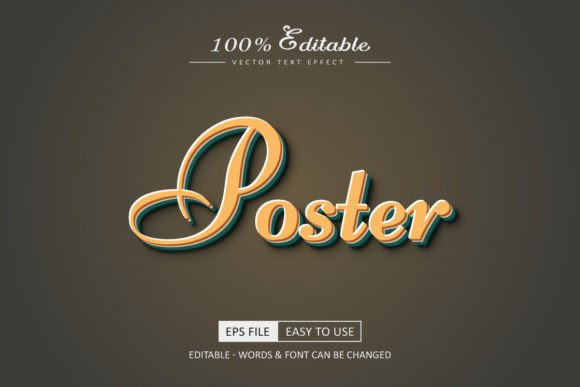
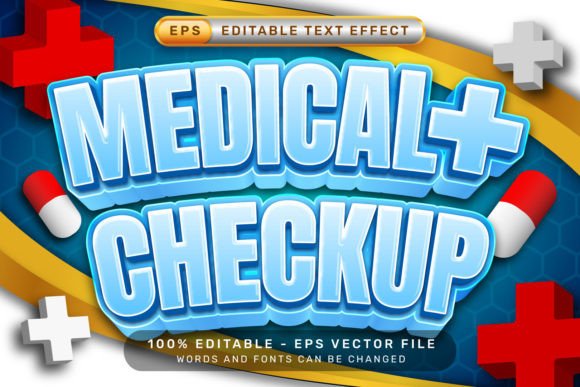
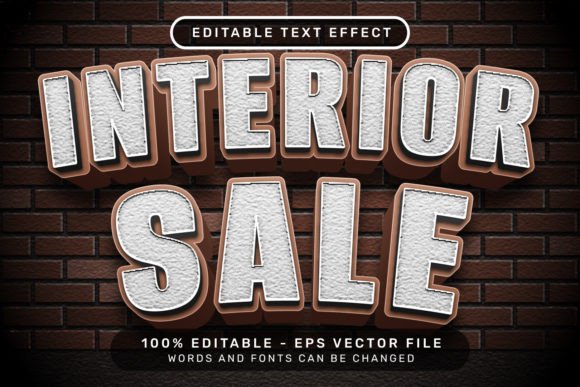
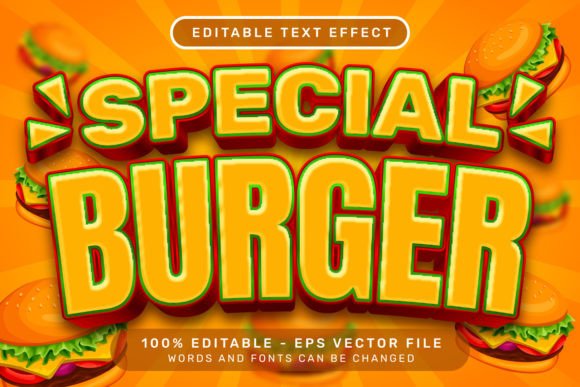
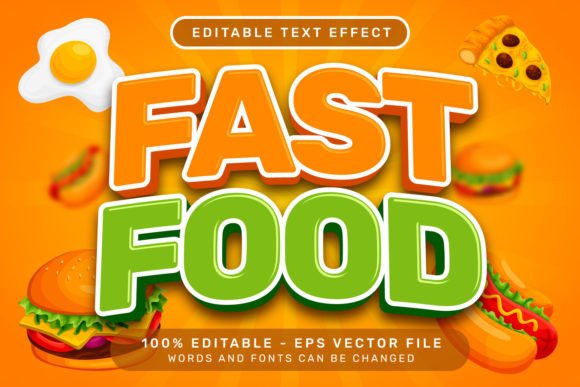
The Fast Food Text Effect and Editable Text is not merely a static image; it is a dynamic vector-based template available as an EPS file. At its core, this resource provides a pre-styled 3D text effect that mimics the bold, glossy, and playful aesthetic associated with fast-food branding. The design incorporates elements like ribbon bows and balloons, adding a celebratory and festive touch that is perfect for grand openings, happy hour specials, or family meal promotions.
What sets this resource apart is its editability. Unlike standard raster images that lose quality when resized or require extensive manual redrawing to change the message, this template allows you to select the text directly and replace it with your own sentence. You can swap out fonts, adjust colors, and modify the layout while retaining the intricate 3D shading and depth. This flexibility ensures that the final output remains crisp at any resolution, making it suitable for everything from small mobile ads to massive outdoor billboards.
Addressing Common Design Challenges in the Food Industry
Designers working in the culinary sector often face specific hurdles that can slow down their workflow. One of the most significant challenges is the pressure to produce high-quality visuals quickly. Marketing campaigns for restaurants often have tight deadlines, especially when promoting limited-time offers or seasonal menus. Creating a custom 3D text effect from scratch involves complex extrusions, gradient meshes, and shadow calculations, which can consume hours of valuable time.
Furthermore, consistency is crucial. A brand needs its promotional materials to look cohesive across different platforms. Manually recreating a specific style of 3D text for every new headline increases the risk of inconsistency. Another common issue is the lack of technical expertise. Not every marketing coordinator or freelance designer is proficient in advanced 3D rendering techniques within Adobe Illustrator. They need a solution that delivers professional results without requiring a steep learning curve or days of practice.
The Fast Food Text Effect and Editable Text addresses these pain points directly. By providing a ready-made framework, it eliminates the need to build effects from the ground up. It solves the time constraint by reducing a multi-hour task to a matter of minutes. It ensures consistency because the underlying structure of the effect remains constant, regardless of the text content. Finally, it democratizes high-end design, allowing users with basic Illustrator skills to produce stunning graphics that would otherwise be out of reach.
How to Implement the Effect Efficiently
Using this resource is designed to be intuitive, focusing on speed and ease of use. Once you have downloaded the EPS file and opened it in Adobe Illustrator, the process is straightforward. The primary method involves selecting the existing text within the artwork. Because the text is editable, you can simply highlight the placeholder words and type in your desired message, such as "Grand Opening" or "50% Off Burgers."
If you wish to alter the typography style, you can access the Character panel to change the font family, size, and weight. The 3D effect will automatically adapt to the new text, maintaining the depth and perspective. For more advanced customization, users can navigate to the Window – Graphic Styles panel. Here, you will find the specific styles applied to the text and accompanying illustrations. By applying or modifying these styles, you can tweak the lighting, glossiness, or color palette to match your brand guidelines perfectly.
This streamlined workflow means that you can iterate through multiple design concepts rapidly. Want to see how the text looks in a different font? Change it instantly. Need to adjust the ribbon bow colors to match a holiday theme? Select the element and apply a new swatch. The ability to make these changes without breaking the 3D structure is what makes this tool so powerful for practical application.
Practical Applications and Real-World Outcomes
The versatility of the Fast Food Text Effect and Editable Text extends beyond simple headlines. It can be integrated into various marketing collateral to enhance visual appeal. For instance, restaurant owners can use it to create eye-catching window decals that draw in foot traffic. The inclusion of ribbon bows and balloons in the illustration adds a layer of festivity that suggests celebration, encouraging customers to visit for special events.
Digital marketers can also leverage this effect for social media posts. Platforms like Instagram and Facebook thrive on bold, colorful visuals. A 3D text effect that pops off the screen can significantly increase engagement rates compared to flat, standard text. Additionally, this resource is excellent for menu design. Highlighting daily specials or signature dishes with this effect draws the customer's eye immediately to the most profitable items.
Event planners and catering services can utilize the template for invitations and promotional banners. The editable nature allows for easy personalization for different events, from birthday parties to corporate lunches. The outcome is always a polished, professional look that communicates quality and excitement, ultimately driving better business results.
Tailoring the Approach for Different Users
While the tool is accessible to all, different types of users may approach the Fast Food Text Effect and Editable Text in unique ways based on their goals. Professional graphic designers might use the template as a base, taking it further by adding custom textures, altering the lighting environments, or combining it with other vector assets to create a fully bespoke campaign. They might focus heavily on the Graphic Styles to ensure pixel-perfect alignment with strict brand identity guidelines.
On the other hand, small business owners or marketing managers who do not have a dedicated design team will likely appreciate the simplicity. Their goal is often to get a job done quickly and effectively without hiring external help. For them, the value lies in the ability to open the file, type their message, and export the final image for print or web within minutes. They might stick to the default color schemes and fonts, relying on the inherent strength of the design to convey their message.
Freelancers working on tight budgets for clients can also benefit immensely. They can offer high-value deliverables without investing excessive hours into production, thereby increasing their profit margins and client satisfaction. By understanding the specific needs of each user group, the Fast Food Text Effect and Editable Text serves as a flexible solution that scales from hobbyist projects to enterprise-level branding campaigns.
Final Considerations for Success
To maximize the impact of this resource, consider the context in which the design will be viewed. Ensure that the colors chosen for the text and the accompanying ribbons and balloons contrast well with the background image of your fast food product. High contrast ensures readability and visual impact. Additionally, while the template is highly customizable, remember that less is often more. Avoid overcrowding the design with too many elements; let the 3D text effect serve as the focal point.
By integrating the Fast Food Text Effect and Editable Text into your design toolkit, you gain a powerful ally in creating compelling visual stories. It transforms the tedious process of 3D text creation into an enjoyable, efficient experience, empowering you to focus on creativity and strategy rather than technical execution. Whether you are launching a new restaurant or refreshing an existing brand, this resource provides the perfect balance of style, functionality, and ease of use.